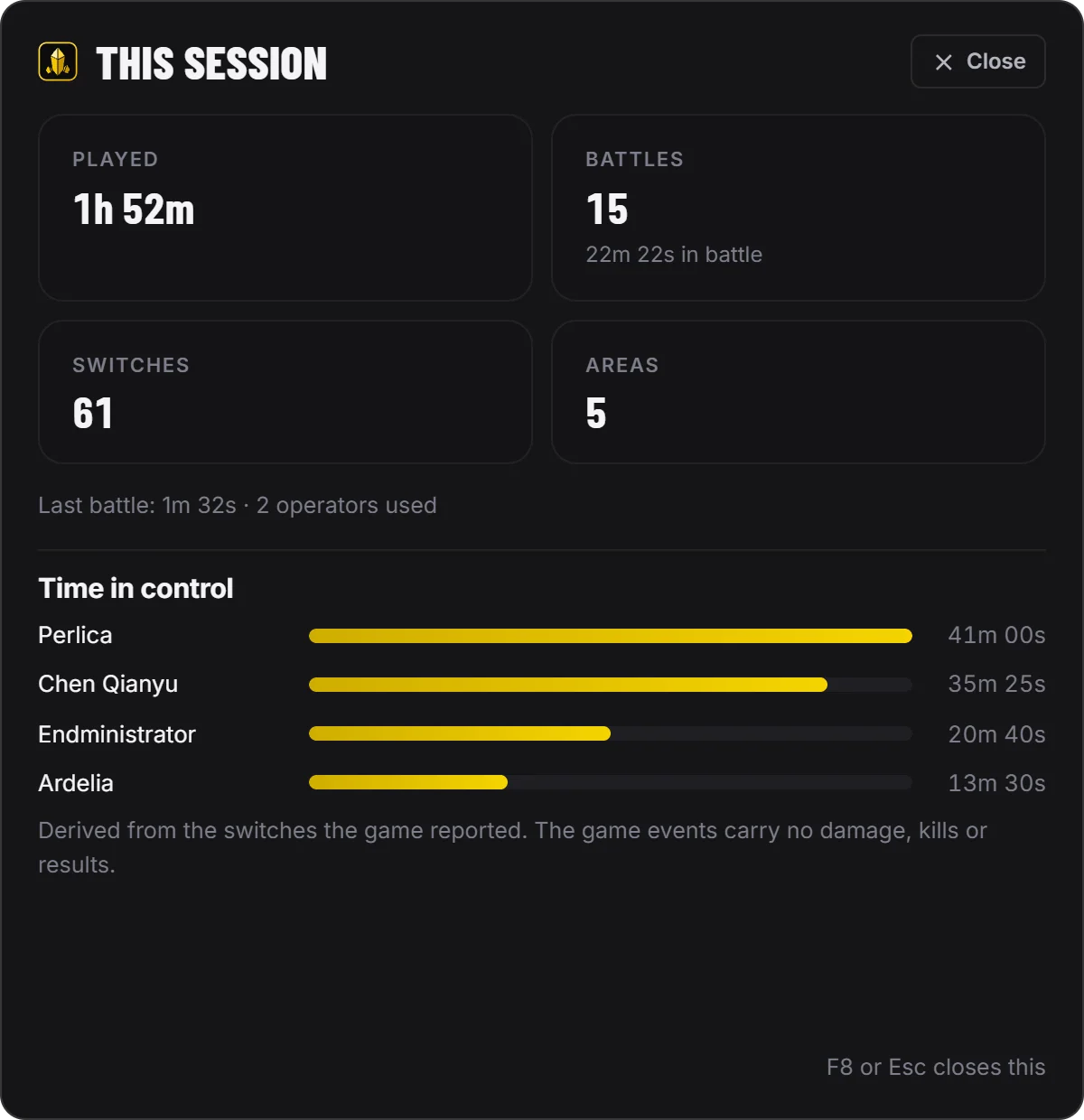
This session, in game
Play time, battles, switches and areas, and how long each operator was in control — one shortcut away.
The desktop app sits over Arknights: Endfield and follows your session on its own: the squad you run, the operator in control and their skills the moment you switch, how long every battle lasted — and keeps it all on the Endfield account you imported.
How it works
Nothing to press in the middle of a fight: once your UID is linked, the app follows Talos-II on its own and files every session where it belongs.
Link your Arknights: Endfield account on this site and prove it is yours with a code in your in-game signature. No game password.
The app follows the session on its own, from the moment the game starts to the moment it closes.
The panel shows your squad, the area and the battle timer — and the card of every operator you switch to.
Sessions, battles and operators land on your Arenyze account: on every PC you sign in from, and in Companion history on this site.
A small panel in the corner of the screen that never takes the mouse: the four operators in your squad and who is in control, where you are on Talos-II, and a timer as soon as a battle starts. Switch operator and their card takes over for a few seconds — battle skill, combo and ultimate, with their cooldowns.
The app works from the game events Arknights: Endfield publishes for apps like this one: the scene, your squad and roster, the area, your levels, and when battles and switches happen. They carry no damage, DPS, kills or results — so the app shows none and never estimates them. Nothing is automated either: it never presses a key in the game.
From the moment the game starts to the moment it closes: play time, battles and how long each one lasted, the operators you used, the areas you went through. Time in control comes from your own switches — month after month, the picture of who you really play.
Every operator, weapon, gear piece and item the tracker knows, searchable from the app — any operator's skills at a glance — and your own roster, with level and potential, as your public profile and the app report it.
And more
Everything you need between two battles, next to the game.
Play time, battles, switches and areas, and how long each operator was in control — one shortcut away.
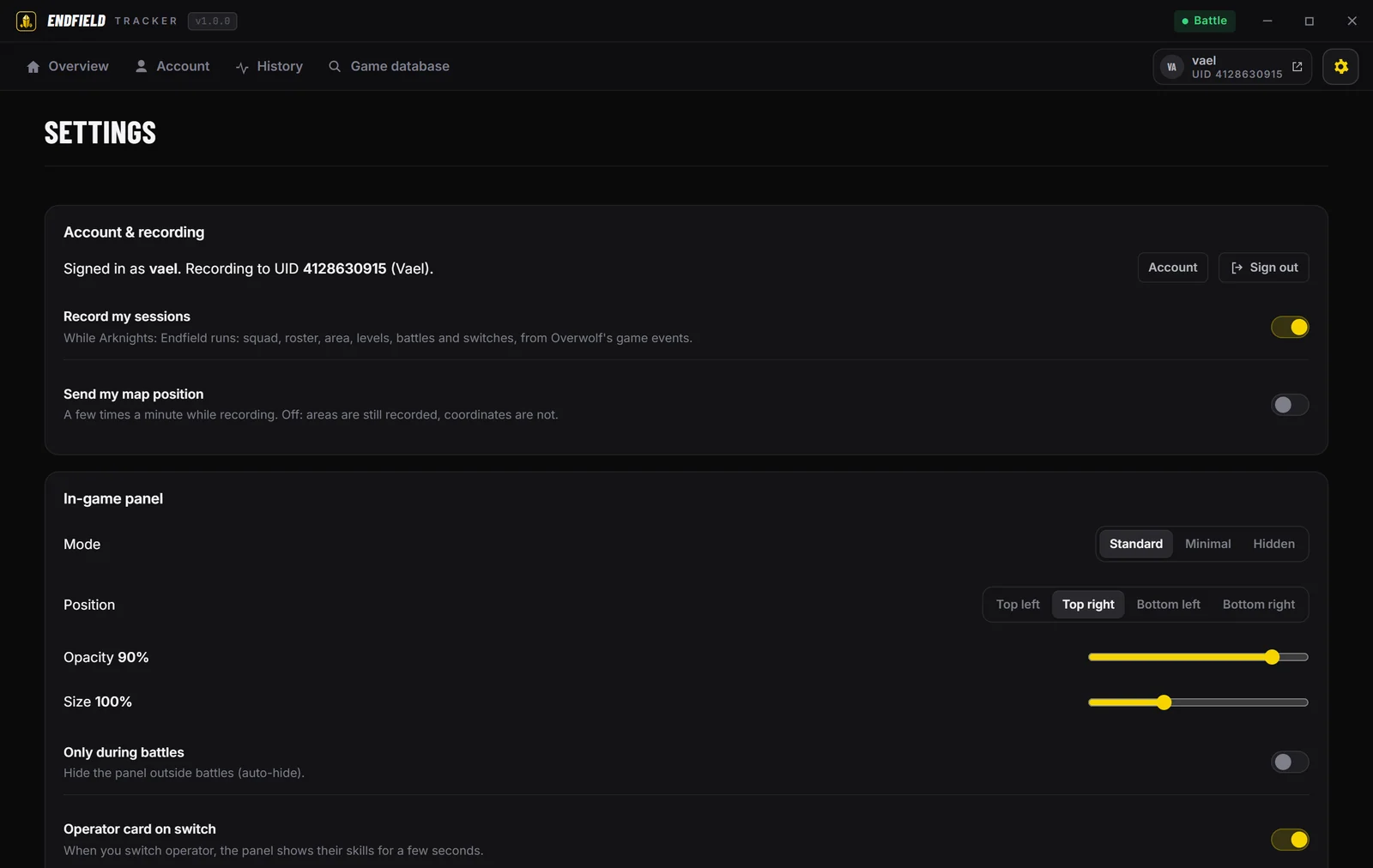
Standard, minimal or hidden, any corner, as see-through as you like — and your own shortcuts.
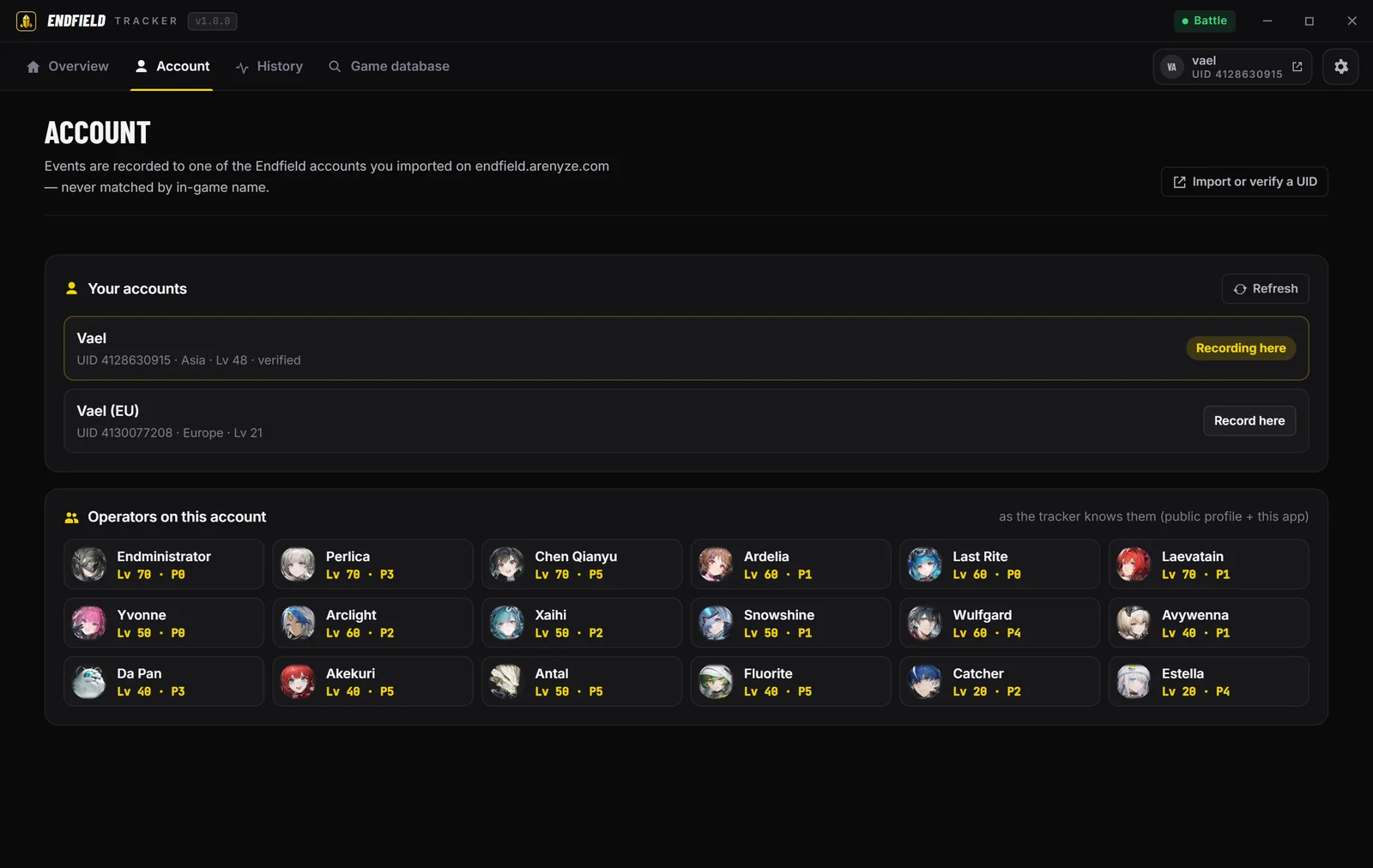
Every UID you imported, the one the app records to, and the operators on it.
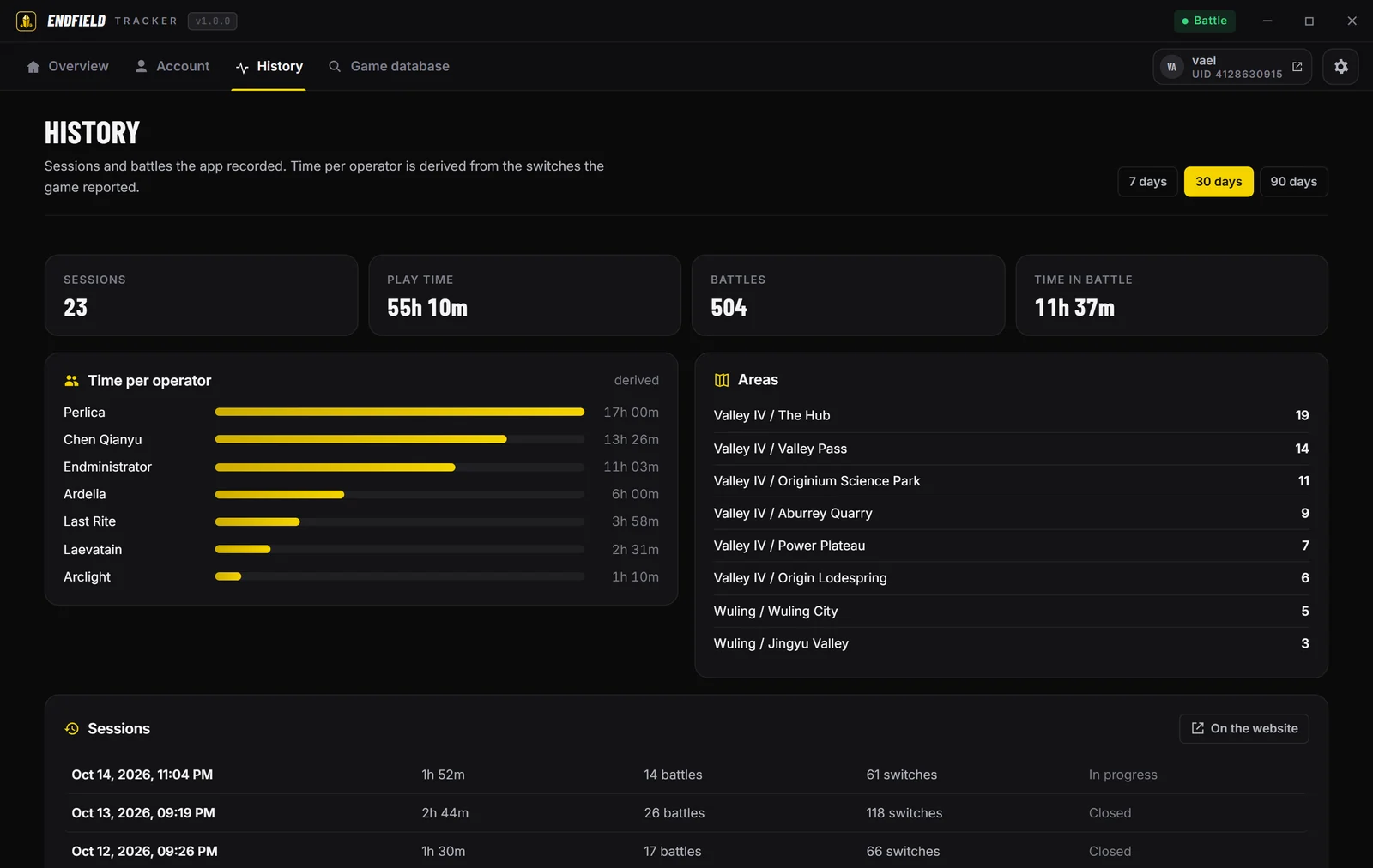
The last 7, 30 or 90 days: sessions, battles, time per operator and areas.
The desktop app for Windows 10 and 11 is on its way. Create your Arenyze account and import your UID now: it is ready the day you install it, and every session from then on is kept.
Every player in these videos and pictures is made up. Not affiliated with, endorsed by, or sponsored by GRYPHLINE or Hypergryph. Arknights: Endfield is a trademark of GRYPHLINE / Hypergryph.